

Looking for an alternative to Asana?

Compare vPlan with Asana

Your projects are moving forward, tasks are assigned and everyone knows what needs to be done. But what about your planning? Who has capacity for extra work? And how do you keep everything on track when plans change?

Asana helps you organise projects and tasks. With vPlan, you tak your day-to-day planning a step further. See who's working on what, how much capacity is available and where adjustments are needed.

Wondering which tool is the best fit for your way of working? Discover the differences between Asana and vPlan.

4.7/5
Trusted by 1.000+ customers

Chosen as the productivity platform by

This is how vPlan makes planning easier

Personal support from experienced consultants

Great planning software is one thing. Knowing how to get the most out of it is another. That's where our experienced consultants and customer success team come in.

Whether you're setting up your planning, improving your workflows or dealing with complex capacity challenges, we're here to help. Our team understands the ins and outs of planning and works with you to find practical solutions that fit the way your business operates.

  • Experienced consultants who help you tackle complex planning challenges
  • Personal guidance and configuration tailored to your workflows
  • Support from people who understand your market
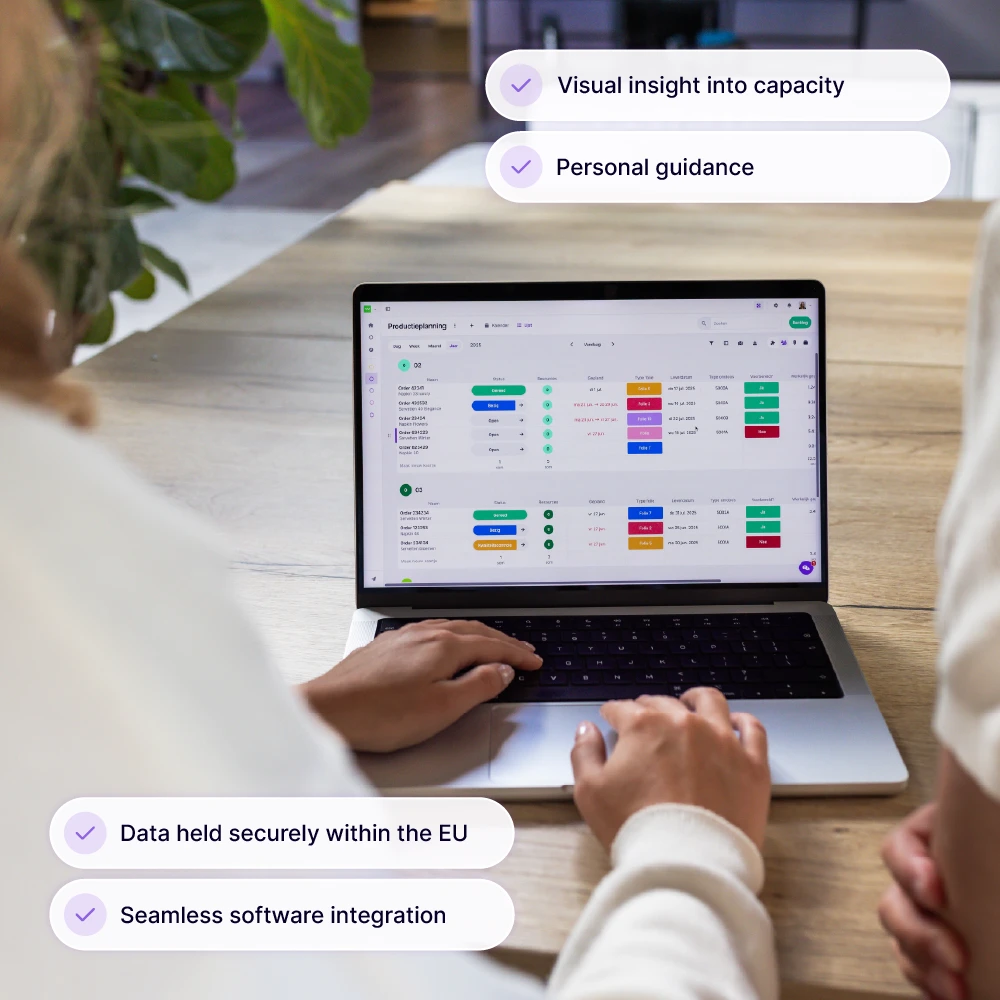
vPlan-team overlegt over capaciteitsplanning op kantoor, met de planningstool van vPlan zichtbaar op hun laptops.

Get more control over your capacity planning

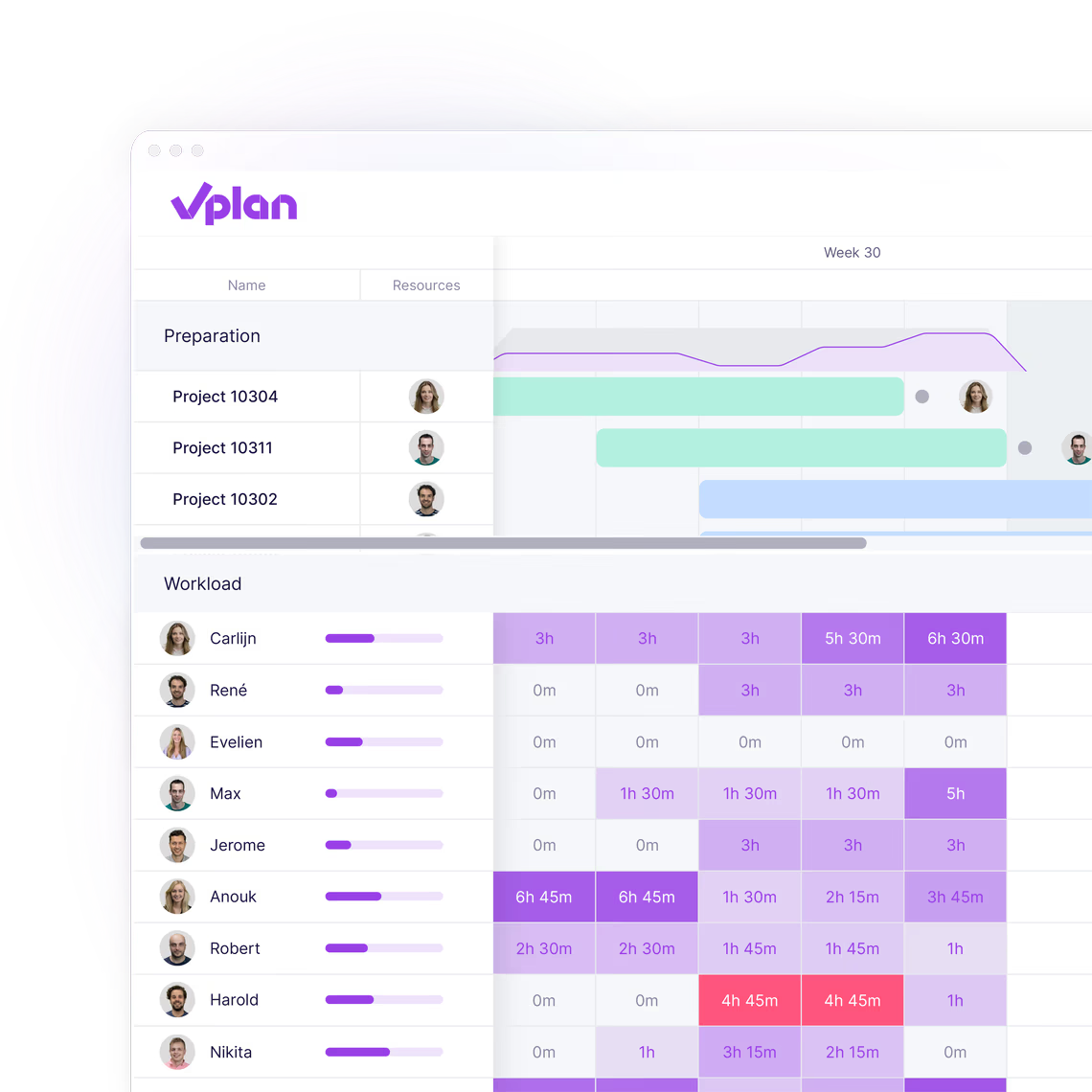
In vPlan you don't just plan tasks, you plan capacity. You can instantly see how much room each team or individual still has and where bottlenecks are emerging. This helps you maintain a clear overview, even across multiple projects.

In Asana, you mainly work at task level; team capacity is not displayed centrally.

  • Capacity visible per person, team or department
  • See where there's room for new projects
  • Prevent overload through smart distribution
Discover more about capacity
->
vPlan timeline with projects per phase and a workload grid showing planned hours per employee

Smart integrations with your other systems

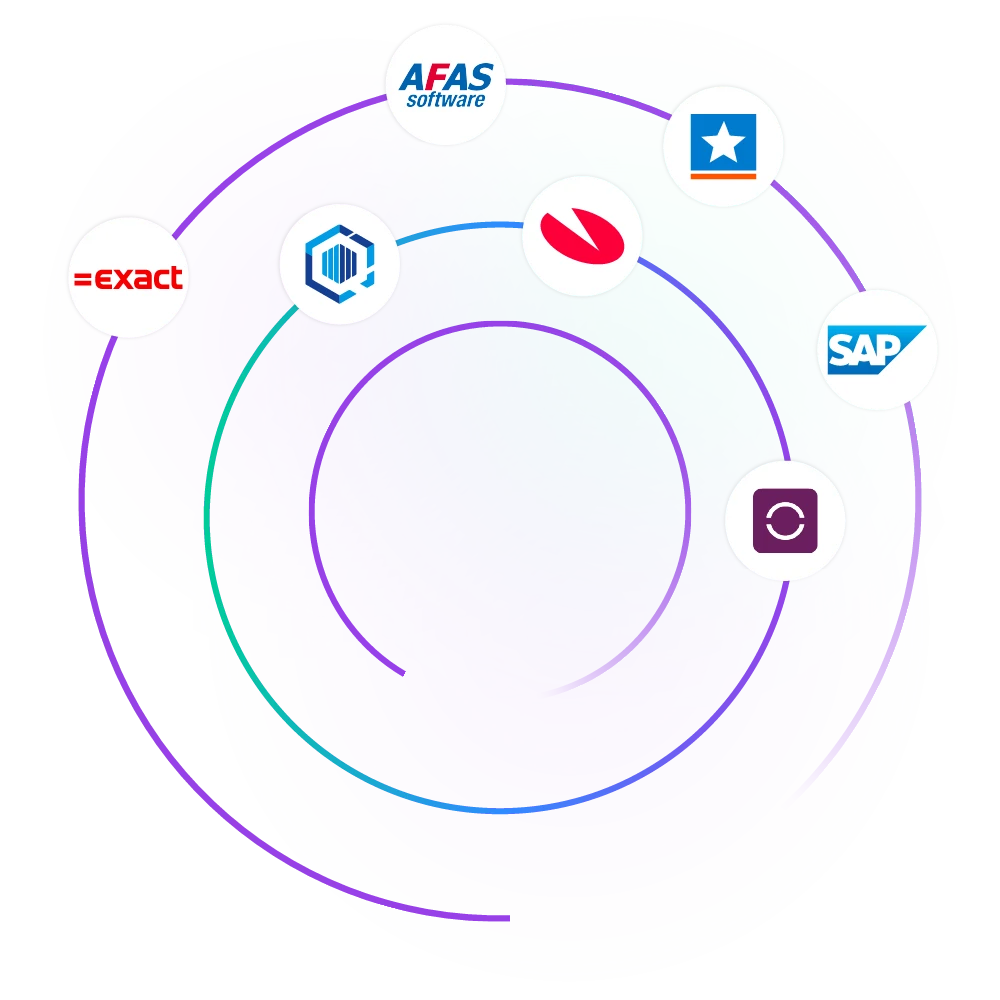
vPlan integrates seamlessly with Exact Online, AFAS, SnelStart and other Dutch ERP and accounting systems. Orders, projects, and hours are synchronised automatically, no duplicate work or errors.

Asana lacks direct integrations with Dutch systems; custom solutions or third-party apps are often required.

  • Integrations with ERP, accounting and CRM
  • Fewer errors through automatic synchronisation
  • Complete insight into projects and post-calculation
Discover more about integrations
->
Integraties met vPlan

From project overview to complete overview

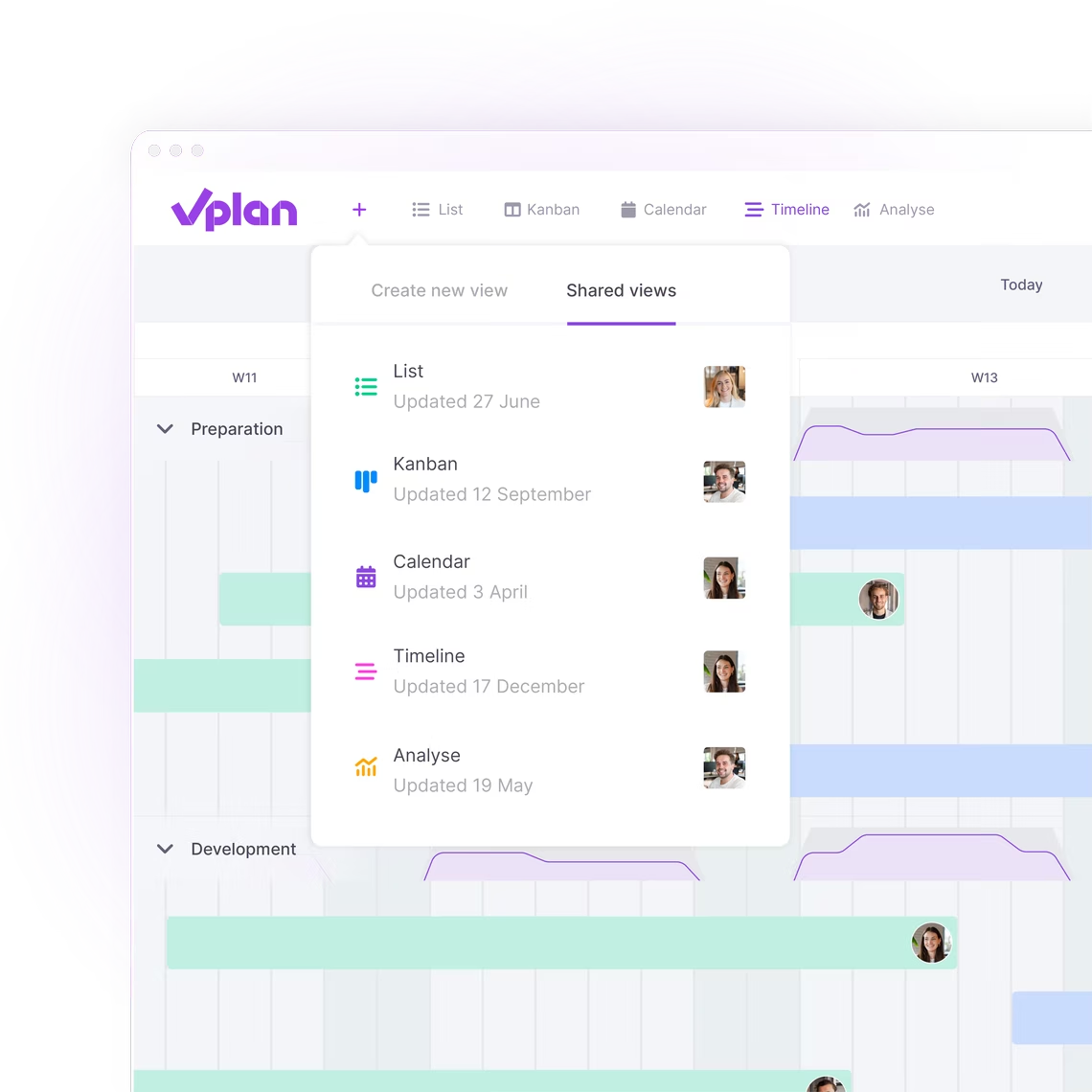
Whether you want to track a single employee or get a full picture of all projects, vPlan offers the right view. Work with boards, timelines or lists, fully visual and flexible.Asana mainly uses separate boards per project, which makes it easier to lose context when managing multiple workflows.

  • Choose your own view: timeline, calendar, list or Kanban
  • View planning by team, resource, project or status
  • Set filters and views for each team or process
Discover more about views
->

Data in trusted hands

Secure, transparent, and fully GDPR-compliant.
With vPlan, your data remains securely stored in ISO 27001-certified data centres within the EU. This provides organisations with greater control, predictable compliance, and confidence when operating under strict European privacy regulations.

  • Hosting and processing within the EU
  • Fully GDPR-compliant
  • ISO 27001-certified security
Discover more about security
->

Complete overview of all your projects

In Monday.com, you often create a separate board for each project. That might seen clear, but it makes it difficult to view the progress of all your projects at a glance.

In vPlan, you can bring everything together in one clear planning board. This allows you to instantly see how all work is progressing and where capacity is available or tight. Want to focus on the progress of just one project? Simply use the filters or search within your planning board.

  • Track the progress of your projects in one overview
  • Plan based on total capacity
  • Filter or search specific projects for detailed insight
Discover more about statuses
->

Collect first, plan later

In Monday.com, new tasks go straight into the planning, even if they're not yet ready for execution. This quickly leads to a cluttered and overloaded planning, or even seperate paper lists.

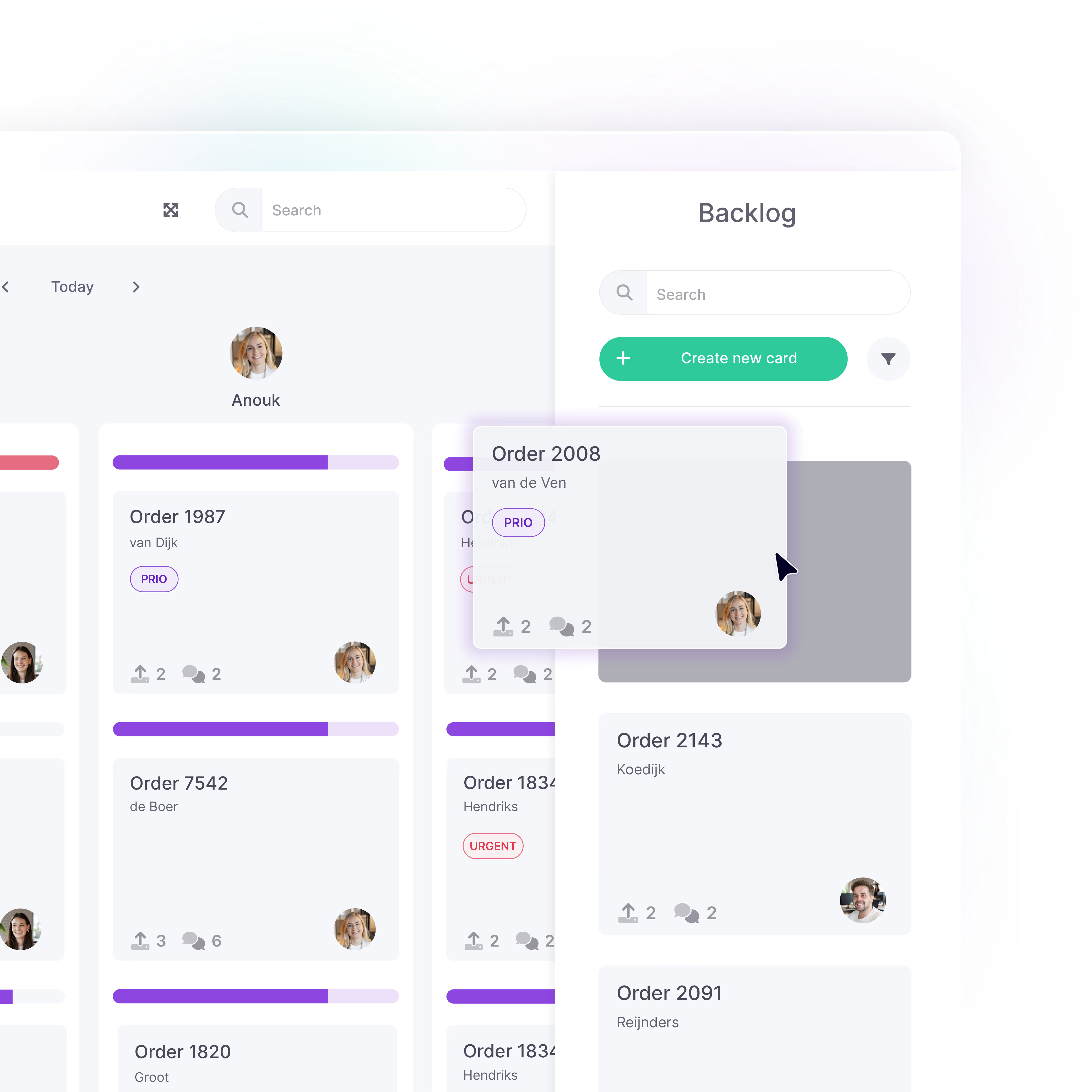
With vPlan, you can collect unplanned work in the backlog. One central place for incoming projects, ideas, orders, or tasks. From there, you only plan what really needs to be planned, when it fits within your capacity.  

  • Only plan when work is ready for execution
  • No overloaded planning, just complete overview
  • Create clarity in your unplanned work
User dragging a task card in the vPlan interface from the backlog to the planning board, showing priority and team assignment.

Download the e-book

From loose ends to structured projects

This e-book shows you how to make projects predictable and manageable. With practical checklists, smart tips, and practical examples, you’ll learn how to meet deadlines, use team capacity more effectively, and create a calmer workflow.

Download e-book

Verbeter de samenwerking

Communicatie

Chat direct bij taken en weet altijd wat is afgesproken. Tag collega's met een @mention en blijf automatisch op de hoogte van notificaties.

Lees meer over communicatie ->
Smartphone met pushmelding van vPlan waarin een gebruiker wordt genoemd in een opmerking bij projectkaart 1034.

Urenregistratie

Registreer uren eenvoudig per taak, vergelijk gepland met gerealiseerd werk en keur uren snel goed of af. Zo blijf je altijd in controle.

Lees meer over urenregistratie
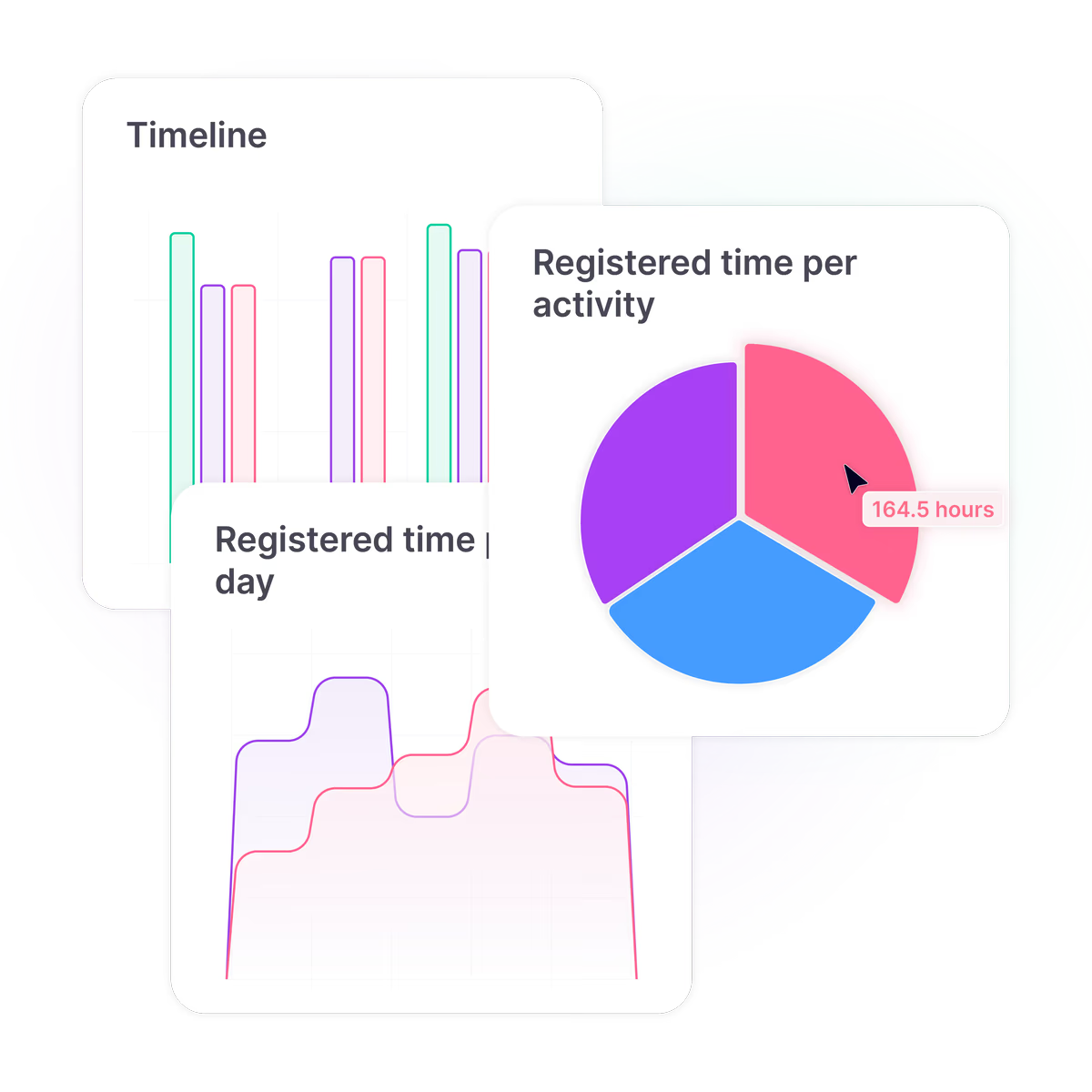
vPlan dashboard met visuele rapportages, waaronder een cirkeldiagram van geschreven tijd per activiteit en een lijngrafiek met tijdsregistratie over de week.

Visuele planning

Iedereen werkt met dezelfde, actuele planning, via desktop of app. Wijzigingen zijn direct zichtbaar en de weergave pas je aan op je eigen voorkeur.

Lees meer over visuele planning
vPlan projectmanagementoverzicht met geplande projecten per dag, inclusief statussen als 'akkoord', 'controle' en 'spoed', en teamleden per project.

Documentatie

Leg alle informatie vast bij je planning, op één centrale plek. Voeg bestanden, checklists of extra velden toe, zoals adressen, klantnummers of notities.

Lees meer over documentatie

Gedetailleerde projectkaart in vPlan voor Project 1034, met start- en einddatums, activiteiten, tijdregistraties, bijlagen en een afvinkbare checklist.

What customers say

4.6

on Google

Farm Food

“We know exactly what we’re working on, what’s already been done, and what still needs to happen.”

Marnique Assink

Marketing coordinator, Farm Food

Marten van Ruitenburg

Fraanje

“We now have one central place where everything comes together. It provides not only clarity, but also peace of mind.”

Vredehof

“Everyone accesses the same information, which strengthens collaboration and helps prevent errors.”

Stephan

Financial director, Vredehof

Absolutely Fresh

“vPlan gives us a clear overview, allowing us to respond quickly and work more productively.”

Romy Groot Obbink

Site producer, Absolutely Fresh

Rob Detert Oude Weme

DDJ

“We don't guess anymore; we know exactly what we can deliver.”

Brunink Group

“Standard processes can now be adapted to specific needs without customization, which increases efficiency and improves collaboration.”

Thomas Brunink

Operations Manager, Brunink Group

Wilco de Moet

Smits Vastgoedzorg

“Without vPlan, we wouldn't have been able to grow so fast.”

Plan smarter, perform better

Book a free consultation

Planning that works doesn't have to be a challenge. With vPlan, you work smarter, not harder. From simple workflows to real-time collaboration.

Teamleden van vPlan in overleg in een vergaderruimte, waarbij een collega een schermpresentatie geeft met uitleg over de planningsoftware.

Frequently asked questions

When should you choose Asana or vPlan?

Choose Asana if you're mainly looking for a comprehensive tool for task management and team collaboration, with a wide range of integrations.

Choose vPlan if your focus is on planning people, work and capacity. For example, if you manage multiple teams, want to keep workloads under control or need to connect your planning with Dutch business software.

The best choice depends on how your organisation works. Not on which tool has the longest list of features.

What is the best alternative to Asana?

That depends on how you work. vPlan is a great alternative to Asana if you're looking for more than project management, with a particular focus on visual planning, capacity management and time tracking.

Does Asana offer capacity planning?

Yes. Asana offers workload management features, including in its Advanced plan. With vPlan, you can plan work based on the available capacity of individual employees or teams, even across multiple schedules.

Can I switch from Asana to vPlan?

Yes, you can set up your workflows in vPlan. Start by reviewing your existing projects, tasks and integrations. Then discuss with the vPlan team which data can be transferred and how best to set up your new planning environment.